Azure Cost Management helps in monitoring, optimizing, and controlling costs of Azure resources in subscriptions and resource groups. It shows organizational cost and usage patterns with advanced analytics.
There are three main components of Cost Management:
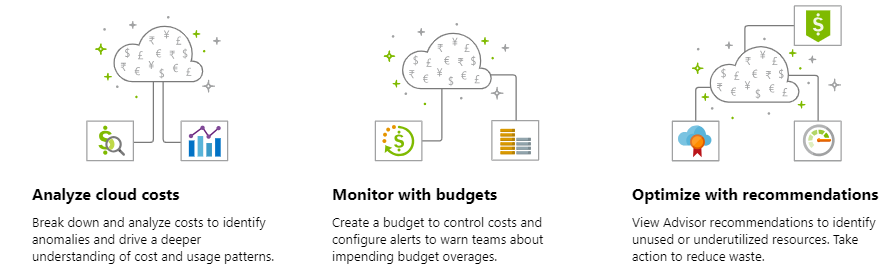
- Cost Analysis — Explore and analyze organizational costs
- Budgets — Plan for and meet financial accountability
- Recommendations — Optimize and improve efficiency
Cost Analysis
Cost Analysis lets you use analytics and visualization to smartly view and monitor costs in the subscription by resources. The analysis can be done by all resource groups, by a specific resource group, or by a resource.
Usage patterns help admins forecast and plan for resources carefully while keeping a close watch on budgets defined by the organization.
To access Cost Analysis, the user needs appropriate access on the costs and subscription/resource group.
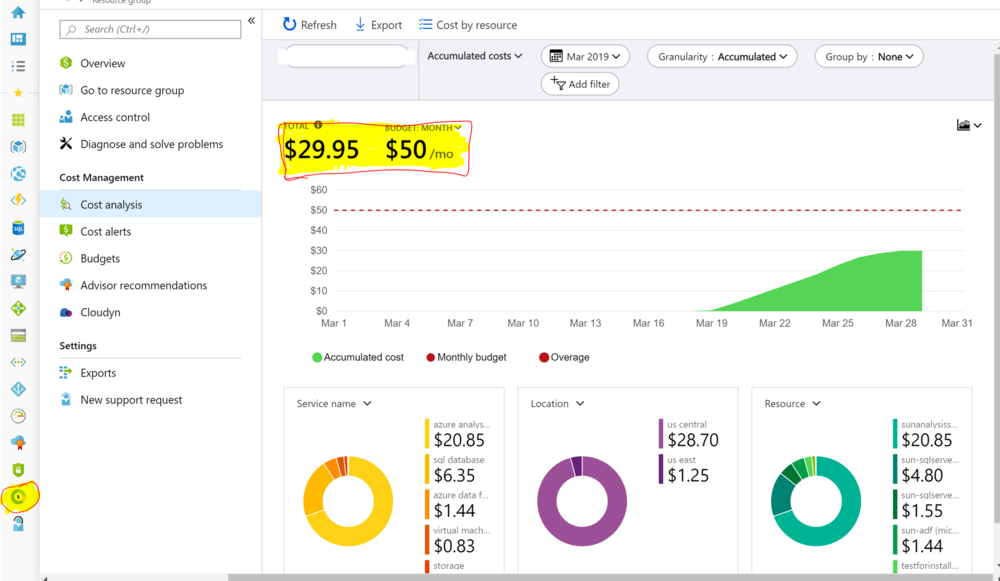
Customization Options
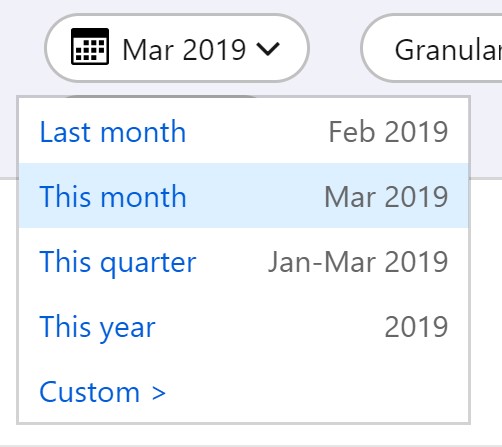
Time Scope — View costs over different time slices (daily, monthly, quarterly, yearly).
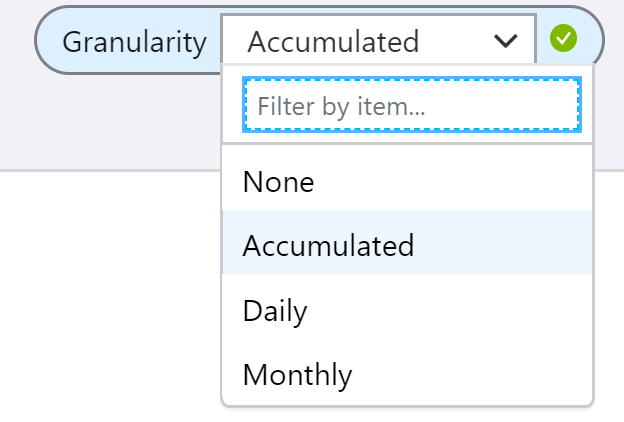
Granularity Scope — Aggregate costs over a period to see trends.
Grouping Option — Group costs by various factors: resource, tags, type, etc.
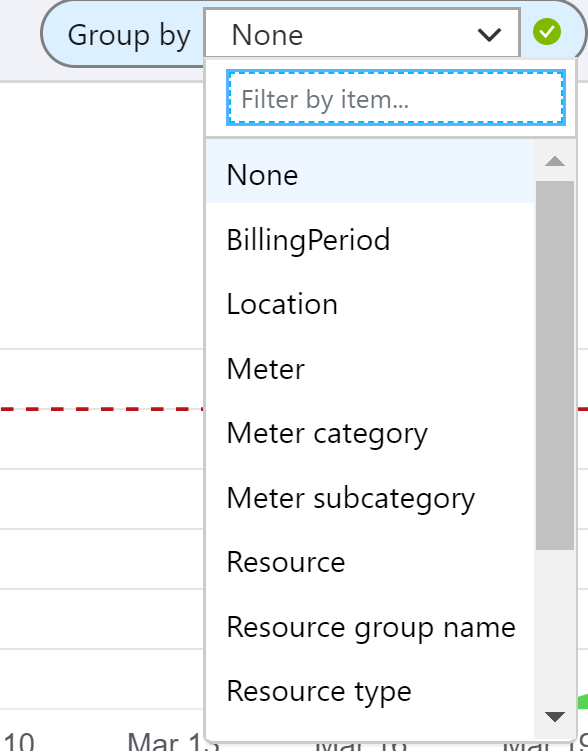
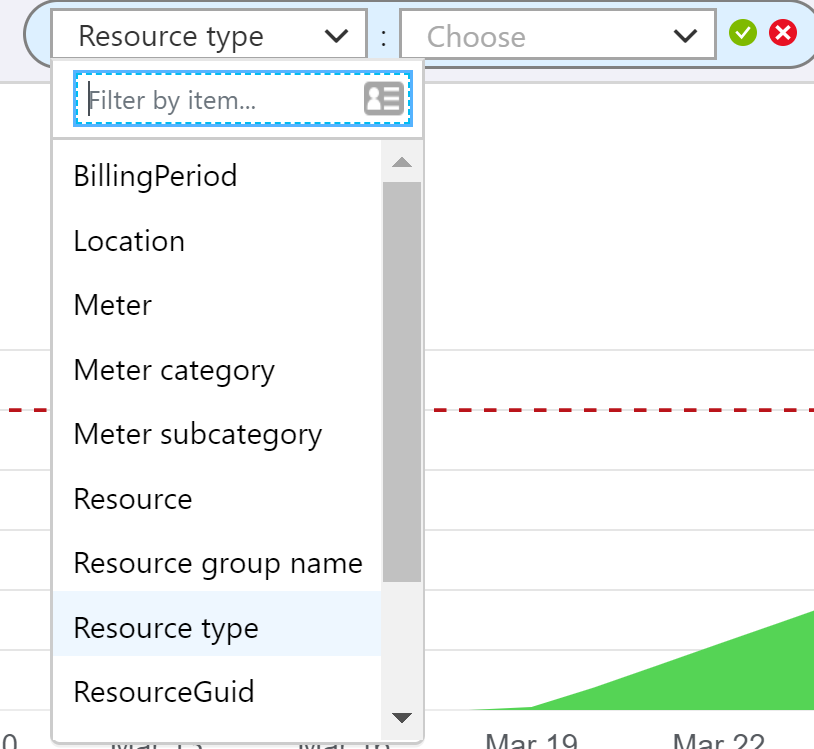
Filters — Reduce the scope of the visualization to specific resources or services.
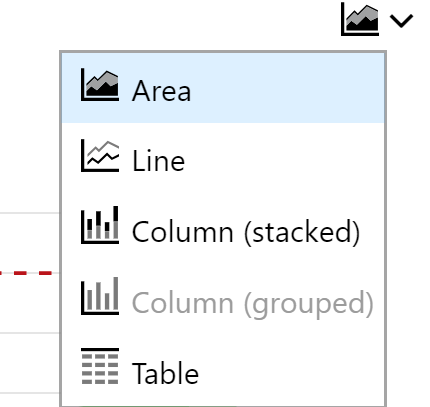
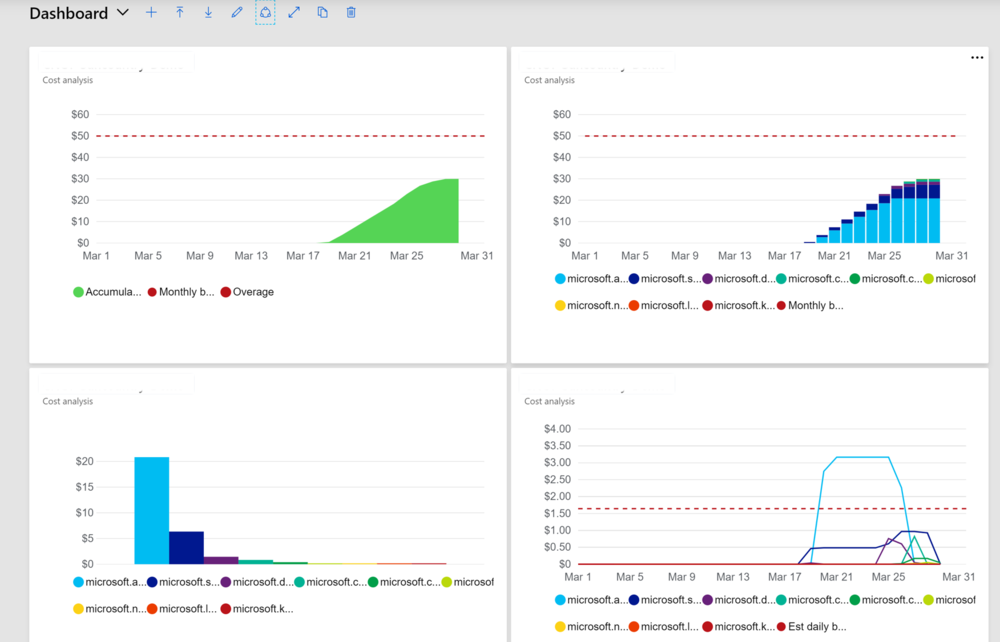
Visualization Type — Customize the view using a variety of built-in graphs (bar, column, line, donut).
Dashboards
Once a visualization has been customized, use the Pin to Dashboard feature to save it and see multiple visualizations on the same page. Dashboards can be shared across various users in the organization.
Budgets
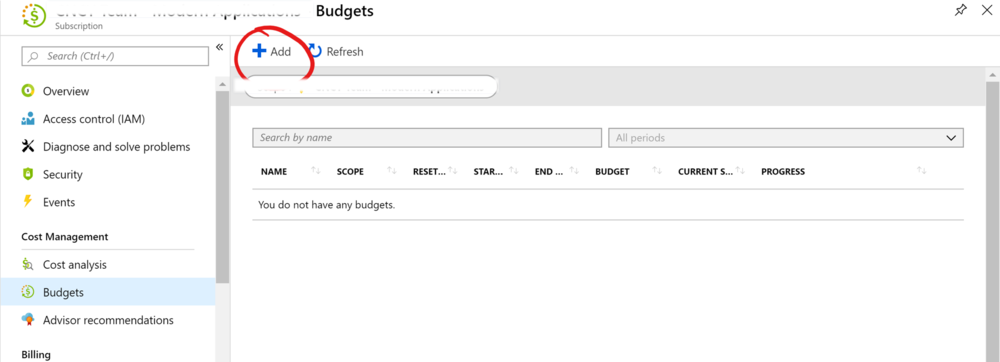
Budgets let you assign a target spend on a cost management group. A budget can be created based on a subscription or resource group. Budgets can be viewed alongside consumption trends over a period to track usage in comparison to a predetermined spend.
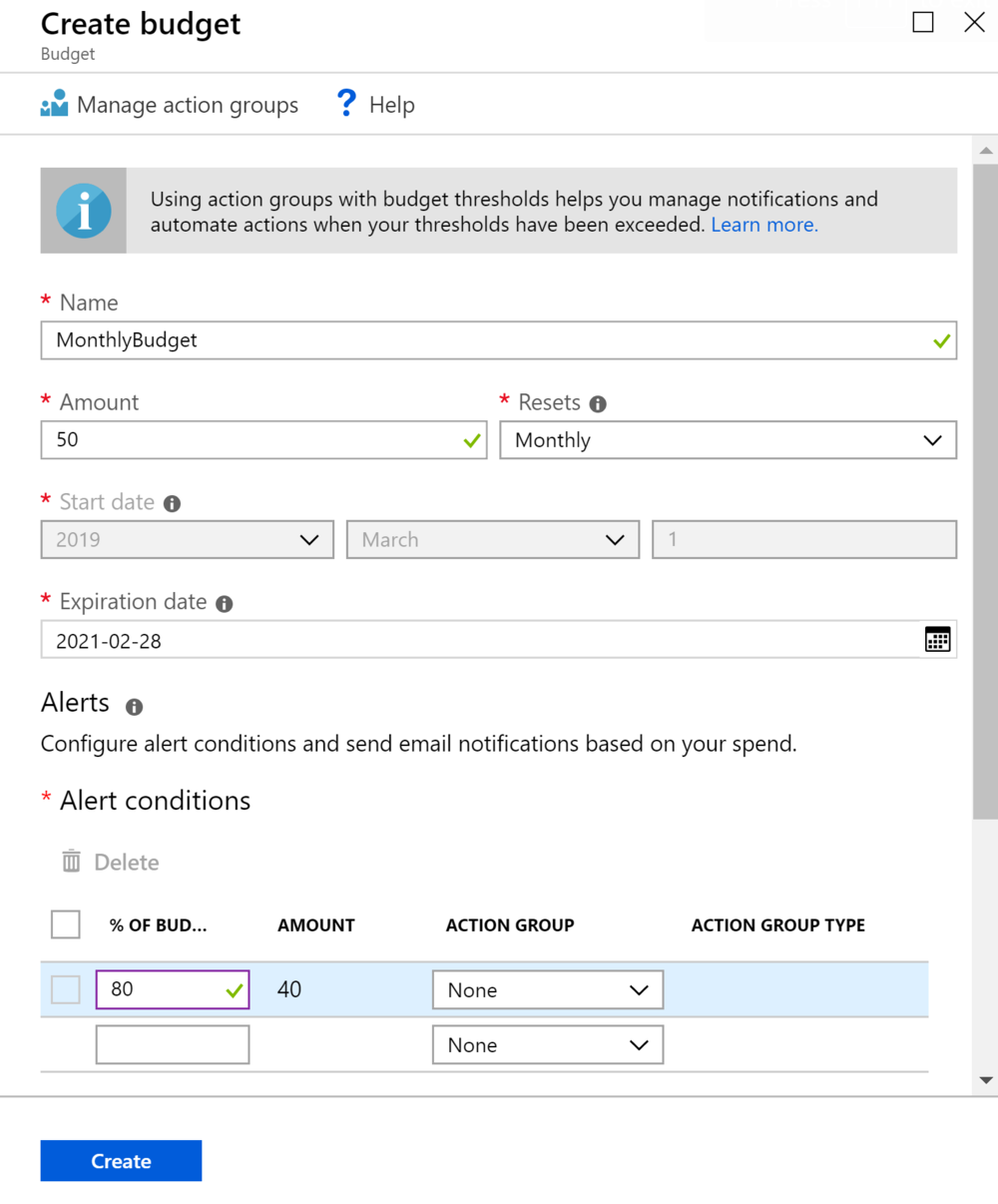
Several actions can be configured based on consumption reaching budget thresholds — for example, sending email alerts when you hit 80% or 100% of your budget.
Recommendations
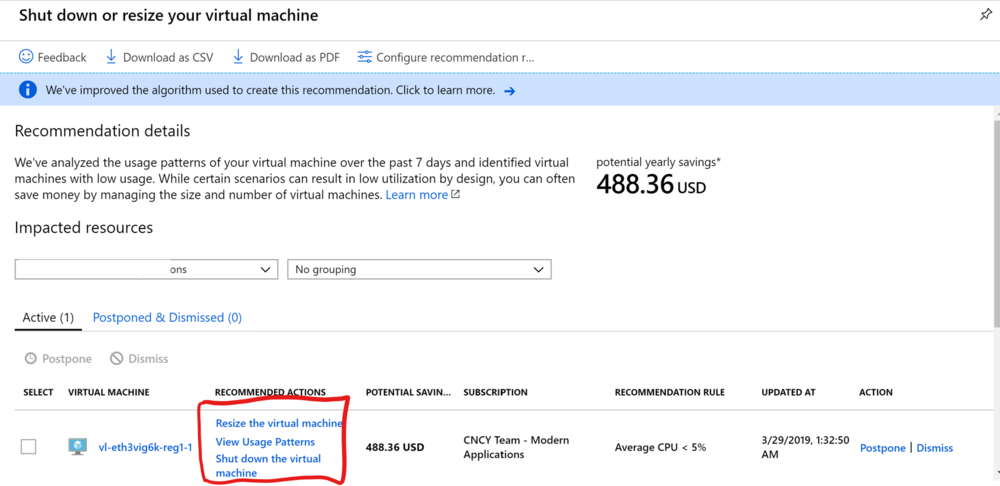
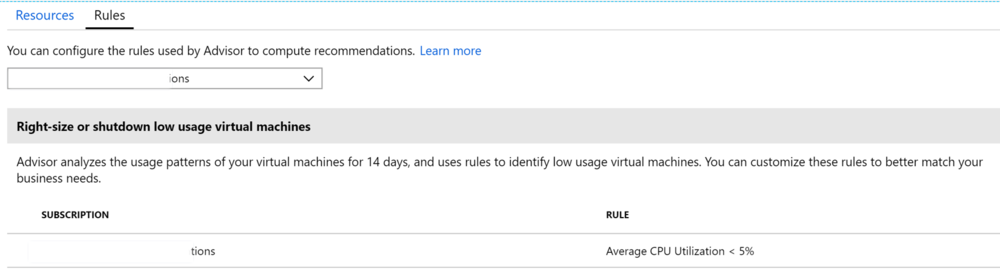
Azure Cost Management works with Azure Advisor to provide cost optimization recommendations. Azure Advisor helps you optimize and improve efficiency by identifying idle and underutilized resources.
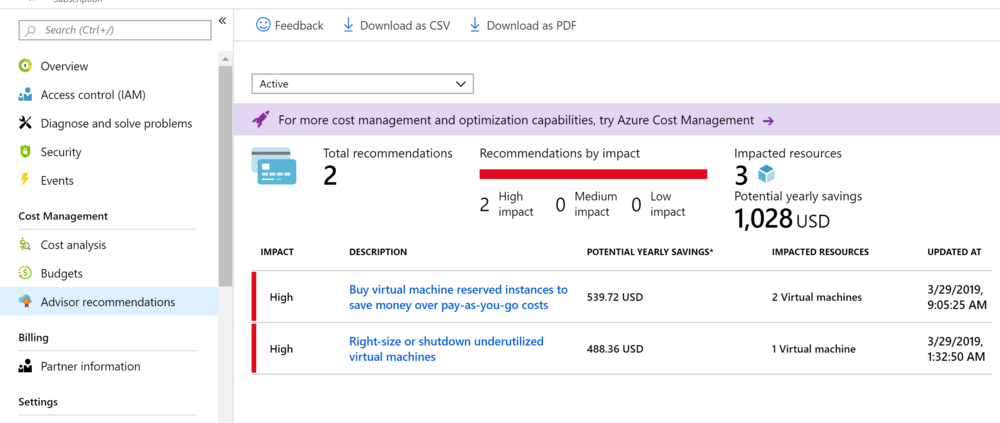
Recommendations can be accessed by clicking the Advisor Recommendations tab in the Cost Management blade. Users can act on the recommendations or change the rules for recommendations.
Cost Management is a powerful, free tool built into Azure that every team running workloads in the cloud should be using actively. Setting up budgets and alerts early prevents surprise bills and keeps cloud spend predictable.